BimmerLink for BMW and MINI
- 4.2
- Rating
- 500.00K
- Installs
- Free
- Price

 Analysis by App-foxy
For BMW and MINI owners, the hardest part of choosing a diagnostic app is not finding something that displays information. It is deciding whether a phone-based tool will genuinely help with the jobs you care about, or simply add another layer between you and a workshop. I spent time looking at BimmerLink from that practical angle: what it is useful for, where it feels more convenient than the usual alternatives, and when a dedicated scanner or professional service still makes more sense.
This is a free Auto & Vehicles app from SG Software GmbH & Co. KG, aimed specifically at people who want a more direct connection with a BMW or MINI. It has built a solid audience, with a 4.2 average from around 5,200 ratings and more than 500,000 installs. Those figures do not make it automatically right for every owner, but they do suggest that it serves a real need rather than being a novelty dashboard.
What to decide before installing BimmerLink
The first question is not whether the app looks polished. It is whether you want to inspect and manage vehicle information from your own phone. If your goal is to understand warning lights, check the vehicle before a long trip, or avoid visiting a workshop for every small diagnostic question, this type of app can be very appealing. If you expect it to replace a mechanic, identify every fault without any preparation, or work as a universal tool for unrelated vehicles, you should set your expectations lower.
You May Also Like

 Blood Strike: 2.5 Anniversary
Blood Strike’s Loadouts Turn Every Drop Into a Tactical Gamble
A close look at Blood Strike’s custom loadouts: how fast access to signature weapons reshapes its battle royale rhythm, rewards preparation, and narrows the gap between fights.

 Pandora - Music & Podcasts
Pandora’s Music Is Easy to Start, but Harder to Recover
Pandora’s strength is its low-effort path from a seed to a station. Its weak spot is how much confidence it asks you to place in connection, setup, and quiet recovery.

 8 Ball Pool
 Is Built on Rivalries, Rematches, and Routine
A close look at the rivalries, rematches, shared routines, and unanswered safety questions that turn a quick pool match into a persistent mobile community.

 Samsung Music
’s Quiet Strength Is Playing What You Already Own
Its reach comes less from spectacle than from dependable access to a personal library. That simplicity is both the app’s strongest retention engine and its ceiling.

 AccuWeather: Weather Radar
AccuWeather Review: A Quick, Clear Forecast for Everyday Decisions
For everyday plans, the best forecast is the one you can understand quickly. AccuWeather makes rain timing, radar, and local conditions easy to act on, with a few trade-offs.

 Hill Climb Racing
Why Hill Climb Racing Still Turns Crashes Into One More Run
A tiny car, a bumpy hill and one more upgrade: Hill Climb Racing keeps resurfacing because its simple chaos makes every near-miss feel personal.
More From Our News Desk



Compatibility is the first practical checkpoint. BimmerLink is built around BMW and MINI vehicles, so its value comes from that focused approach. I would not choose it as a general-purpose scanner for a household with several brands. A broad OBD application may be more sensible in that situation, even if it offers less depth for a BMW or MINI. The focused design is both the reason to choose this app and the reason to skip it.
You also need to think about the hardware connection used with your car and phone. An app cannot communicate with a vehicle by magic; it needs a suitable connection method and a setup that your particular car supports. That means the real purchase decision may involve more than downloading the software. Before paying for anything inside the app, I would check the supported connection equipment and make sure it matches both the vehicle and the phone I plan to use.
The app is free to download, while optional purchases range from $9.99 to $39.99 per item. I see that as a reason to plan your use rather than tap through every upgrade immediately. If you only want occasional checks, calculate the total cost of the functions you actually need. If you regularly work on your own car, the purchase can be easier to justify because it may reduce unnecessary diagnostic visits. The important point is that the free download is an entry point, not a promise that every useful capability is included at no cost.
It is suitable for Everyone, which describes the general audience rather than the skill level required for every task. Reading a fault message is one thing; deciding what to do about a fault is another. I would feel comfortable recommending it to a curious owner who is willing to read carefully and avoid changing settings without understanding the consequences. I would be more cautious with someone who treats every displayed code as permission to reset or alter something immediately.
A realistic ownership scenario
Imagine that your MINI displays a warning shortly before a weekend journey. You connect the phone, use the app to inspect the vehicle, and discover information that helps you decide whether the issue looks urgent or whether you can arrange a workshop visit after returning. That is a useful role: reducing uncertainty before you spend time and money.
The app is also useful after routine work. If a warning remains visible after a repair, checking the vehicle yourself can help you understand whether the system still reports an issue. I would not treat a cleared message as proof that the underlying problem has been solved, but the ability to inspect the car at home gives you a better conversation with a technician. Instead of saying only “the light came on,” you can describe what you observed and when it appeared.
A third scenario is buying a used BMW or MINI. A phone-based diagnostic tool can become part of a broader inspection routine, alongside service records, a physical examination, a road test, and an independent mechanical check. It should not be the only evidence you rely on. Its value is that it may reveal information worth investigating before you commit to the purchase, not that it can certify a used car as trouble-free.
Where the focused BMW and MINI approach wins
The strongest argument for BimmerLink is focus. A generic OBD app often tries to serve many manufacturers, which can be convenient but may leave the experience feeling shallow for a particular BMW or MINI. Here, the app’s identity is tied to those vehicles, so the workflow feels more relevant to an owner who does not want a universal tool full of menus that do not apply.
I also like the ownership mindset behind it. The app encourages you to treat your car as something you can understand, not just something you hand over whenever a dashboard message appears. That does not mean every user should become a mechanic. It means you can gather useful information, monitor changes, and make better decisions about when professional help is needed.
The best use of BimmerLink is informed inspection, not blind intervention. That distinction matters. The app can make a diagnosis conversation more precise, but it does not remove the need for mechanical knowledge. I would use it to observe, record, and confirm. I would be much more conservative about resetting a warning simply because the message is inconvenient.
Another advantage is convenience. Keeping a phone-based tool available is easier than borrowing a scanner every time a warning appears. For an enthusiast, that convenience can change how often the car is checked. Instead of waiting until a problem becomes severe, you may notice patterns earlier, such as a recurring warning after particular journeys or a message that returns after being cleared.
That pattern-based approach is one of the less obvious benefits. A single reading can be ambiguous, but repeated observations made under similar conditions can give you better context. I would make a simple note of the date, driving situation, warning, and what happened afterward. The app becomes more useful when it supports that habit rather than being used as a one-time code reader.
What the app cannot replace
The most important limitation is that diagnostic information is not the same as a repair. A fault code can point toward a system without identifying every physical cause. Wiring, connectors, sensors, software behavior, battery condition, and mechanical wear can produce confusing symptoms. If the car is running badly, overheating, losing braking performance, or showing a serious warning, I would stop experimenting and seek qualified help.
There is also a learning curve. The interface may be easier than a professional diagnostic computer, but vehicle information can still be technical. A first-time user may recognize a code without understanding its priority. That is why I would avoid making decisions based on a single unfamiliar label. Search for the meaning using reliable automotive information, compare it with the vehicle’s symptoms, and ask a technician when the consequences could be expensive or unsafe.
Connection setup is another possible source of friction. Phone compatibility, the vehicle interface, pairing, and the correct ignition state can all affect the first session. If you expect a plug-in-and-instantly-understand experience, the beginning may feel less smooth than using a simple consumer gadget. I recommend doing the first setup while parked at home, not beside a motorway or just before an appointment.
Battery condition deserves attention too. Modern BMW and MINI electrical systems can be sensitive to low voltage, and a vehicle with a weak battery may produce misleading symptoms. If several unrelated warnings appear together, I would not assume the app has discovered several separate failures. I would consider the vehicle’s power condition and have it checked. This is a good example of why app results need context.
How it compares with the usual alternatives
The nearest alternative is a generic OBD application. That choice is attractive if you own cars from different manufacturers or want a single tool for basic engine information across a family fleet. The trade-off is focus. A general app may be easier to justify when variety matters, while BimmerLink is the more natural choice when your vehicle is a BMW or MINI and you want a tool shaped around that ownership experience.
A standalone consumer scanner is another option. It can be convenient if you prefer not to use your phone, if you want a dedicated device in the garage, or if your connection setup is more dependable with hardware designed for scanning. On the other hand, a phone app is easier to update and already fits into a device you carry. I would choose the standalone route for someone who dislikes pairing and mobile interfaces, and the app route for someone who values portability.
Professional diagnostic equipment remains the better choice for workshops and complicated faults. A mechanic brings experience, test equipment, physical inspection, and the ability to interpret results in context. BimmerLink can help you arrive at that appointment better informed, but it does not turn a private owner into a trained technician. If you are diagnosing an intermittent electrical issue or a problem involving several systems, professional investigation is usually worth the cost.
There is also the official dealer route. A dealer may be the right option when the issue involves manufacturer-specific service procedures, warranty questions, or work that requires formal documentation. The app is more attractive when you want personal visibility and a quick check before deciding where to go. These are not mutually exclusive choices: using the app first can help you decide whether a dealer visit is necessary, while a dealer visit can confirm what the app revealed.
Practical tips that make the app more useful
My first tip is to create a baseline before anything goes wrong. Check the vehicle when it is operating normally and keep a note of what you saw. That gives you something to compare against later. Without a baseline, every new reading can look equally alarming, and you lose the advantage of observing change over time.
Second, separate reading from resetting. A reset may remove a visible message without repairing the cause. I would read and record the information first, take a photograph of the dashboard if relevant, and only then decide whether any reset is appropriate. This simple order protects you from losing useful evidence before a workshop visit.
Third, use the app as part of a pre-trip checklist rather than as an emergency rescue tool. Check the car while parked, inspect tires and fluid levels physically, and make sure the phone has enough charge. The app can add diagnostic context, but it cannot replace basic safety checks. This workflow is especially helpful before a long drive because it gives you time to act on anything unusual.
Fourth, be careful when lending the phone or vehicle to someone else. A curious passenger may assume that every available control is safe to use. I would keep the app for the person who understands the vehicle and would not change a setting just to see what happens. The more specialized the function, the more important that restraint becomes.
Finally, remember that an app purchase is not the only cost. You may also need compatible connection hardware, time to learn the interface, and possibly a professional inspection afterward. I would compare the complete ownership cost with the number of times I expect to use it. Occasional users may prefer paying a workshop when needed; frequent DIY owners may gain more value from having their own tool ready.
Who should choose it, and who should skip it?
I would recommend BimmerLink to a BMW or MINI owner who enjoys understanding the car, wants more information before contacting a workshop, and is comfortable following setup instructions. It is particularly appealing if warning messages make you anxious and you would rather collect useful context than immediately guess at the cause. It also suits owners who maintain a record of their vehicle and like comparing normal behavior with new symptoms.
I would be less enthusiastic for someone who wants a universal scanner for several brands. In that case, a broader diagnostic app or a multi-brand device may be a better investment. I would also steer away from it for anyone who expects a warning-light reset to be equivalent to a completed repair. That misunderstanding can turn a helpful tool into a way of hiding a problem.
Professional users should consider their workflow carefully. A workshop may need equipment, documentation, and capabilities beyond what a phone-based product is intended to provide. For a private owner, the app can complement a mechanic. For a business, it should be judged against the demands of the job rather than its convenience alone.
Cost, software age, and everyday ownership
The app was released on June 7, 2020, and its current version is 2.37.3-7118. It runs on Android 6.0 or later, which makes it accessible to owners using older compatible devices. I still recommend checking the phone and connection setup before relying on it for a trip, because an older operating system and an older phone can create a less comfortable experience even when installation is possible.
The free starting price is attractive, but the optional purchases deserve a deliberate decision. I would begin by identifying the exact task that brought me to the app, then check whether the relevant function requires an in-app purchase. That prevents the common mistake of paying first and discovering later that the tool does not fit the intended vehicle or workflow.
In day-to-day use, the biggest cost may be attention. You need to connect correctly, interpret what appears, and decide when to stop troubleshooting. For me, that is a fair trade if the app helps avoid unnecessary visits and improves conversations with technicians. It is not a fair trade if I am likely to open it only in a panic and make decisions without understanding the result.
My recommendation
After weighing the alternatives, I see BimmerLink as a focused ownership tool rather than a complete substitute for automotive expertise. Its appeal comes from giving BMW and MINI owners a more direct way to inspect their vehicles, prepare for workshop conversations, and build a clearer picture of recurring issues. The focused category is a strength when your car fits it and a limitation when it does not.
I would choose it for a BMW or MINI owner who wants practical visibility and is willing to learn, record findings, and act cautiously. I would skip it in favor of a multi-brand scanner if flexibility matters more than depth, or choose professional diagnostics when the fault is serious, confusing, or safety-related.
My final advice is to treat the app as an extra set of eyes, not as a mechanic in your pocket. Used that way, it can make ownership less mysterious and help you make better decisions about repairs. Used as a shortcut around diagnosis, it can create false confidence. For the right owner, the free download and focused BMW/MINI purpose make it worth investigating, especially when the optional cost is planned around a real need rather than curiosity alone.
FAQs for BimmerLink for BMW and MINI
01What is BimmerLink and how does it enhance my BMW or MINI experience?
BimmerLink is an advanced diagnostic app designed specifically for BMW and MINI vehicles. It allows users to read and clear diagnostic trouble codes, monitor live sensor data, and access real-time vehicle statistics. This app acts as a comprehensive car management tool, providing drivers with deeper insights and greater control over their vehicle's performance and maintenance needs.
02Is BimmerLink compatible with all BMW and MINI models?
BimmerLink is compatible with most BMW and MINI models equipped with OBD-II ports. However, the specific features available may vary depending on the model and year of your vehicle. It’s recommended to check the app’s compatibility list on the official website or app store page to ensure your specific model is supported before downloading.
03What hardware do I need to use BimmerLink effectively?
To use BimmerLink, you will need a compatible OBD-II adapter. This hardware connects to your car's OBD-II port and communicates with the app on your smartphone via Bluetooth or Wi-Fi. Popular options include the OBDLink CX and the Veepeak OBDCheck BLE+. Ensure that your chosen adapter is compatible with BimmerLink for optimal performance.
04Does BimmerLink require an internet connection to function?
BimmerLink primarily operates through a direct connection between your smartphone and the OBD-II adapter, so an internet connection is not required for most functions. However, an internet connection might be necessary for downloading updates or accessing additional online features like cloud backups or external databases.
05Is BimmerLink safe to use, and does it affect my vehicle’s warranty?
BimmerLink is designed to be safe and non-intrusive. It primarily reads data and clears codes without altering the vehicle’s software or settings, maintaining the integrity of your car. However, it’s advisable to consult your vehicle’s warranty terms or contact your dealership to ensure that using third-party diagnostic tools does not affect your warranty coverage.
Pros
- Intuitive user interface for easy navigation.
- Real-time vehicle diagnostics and status checks.
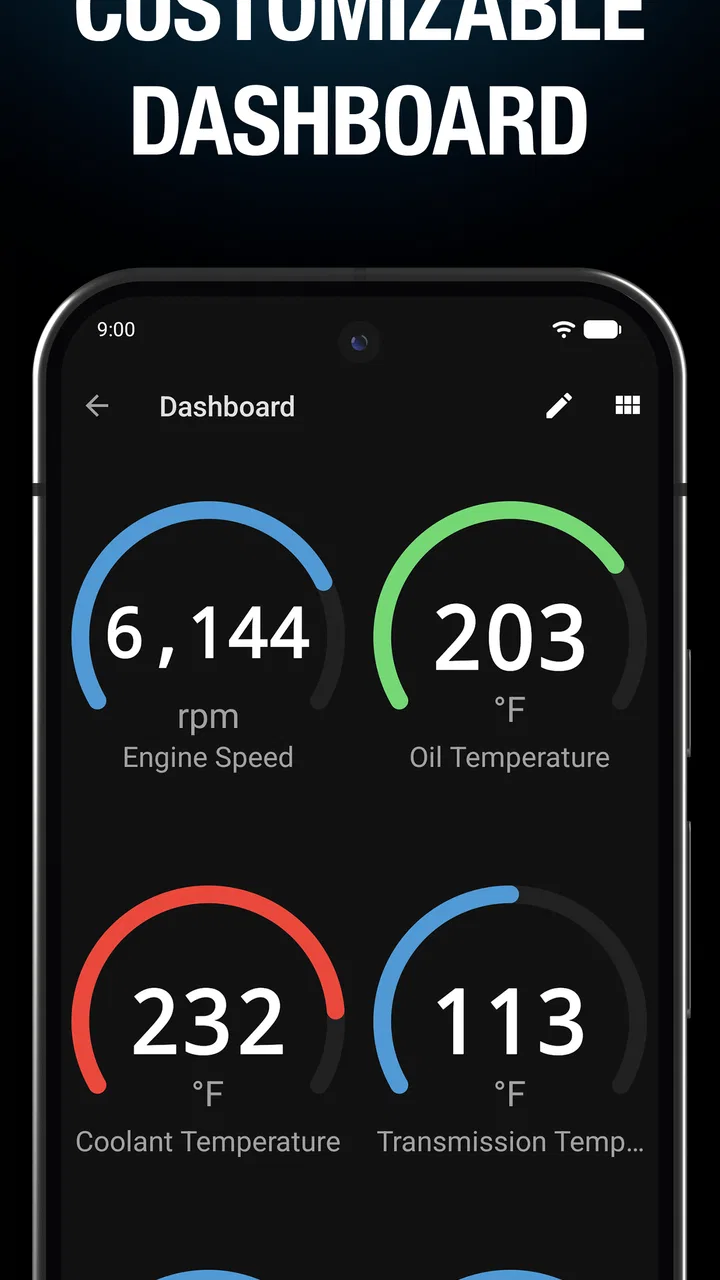
- Customizable dashboard view for personal preferences.
- Supports direct coding for BMW and MINI models.
- Regular updates ensure compatibility with new models.
Cons
- Requires a compatible OBD adapter to function.
- Limited functionality on older vehicle models.
- Some features require in-app purchases.
- Initial setup can be complex for beginners.
- Only available for BMW and MINI vehicles.

BimmerLink for BMW and MINI
Gallery